Search This Website

Showing posts with label COMPUTER. Show all posts

Monday, 22 January 2018

Cryptocurrency Mining Spurs High-End Graphics Card Sales & Causing GPU Shortages

Image result for Cryptocurrency Mining Spurs High-End Graphics Card Sales & Causing GPU Shortages
If you’ve been shopping around for a new graphics card over the last few weeks, you’ve likely had a very hard time finding any in stock. And if you do find one, it’s probably priced well above the MSRP on a re-selling site like eBay or Craigslist. It turns out that graphics cards, especially the high-end type, are in short supply all around the globe, and PC gamers have the rapidly rising trend of cryptocurrency mining to thank.

The reasoning is fairly simple to understand: since the value of Bitcoin has shot up to new heights in recent months, those fond of mining cryptocurrencies have turned to other types of digital money, like Ethereum, with the hope that they too will see their values skyrocket in the coming weeks. And high-end GPUs are simply the best at mining, with some models able to generate several dollars per day.

The result is that the top of the line graphics cards from AMD and Nvidia are sold out just about anywhere you can look. Usually all that can be found are cheap, low-end GPUs, the kind that just aren’t powerful enough for cryptocurrency mining.

These shortages are creating a situation where aftermarket prices are rising sharply, and even used, good condition graphics cards can be sold for well above their value. Of course, this is making many PC gamers upset, as they’ve found themselves out of options when it comes to building new rigs or upgrading their current machines.

Nvidia’s GeForce GTX 1060, a graphics card popular with miners, have risen in price from around $275 to $400 in the second half of 2017, but in the current cryptocurrency boom sell for much more. The GTX 1070 has gone from $425 to over $600. Some hobbyists are even making money simply by flipping GPUs themselves, grabbing them used for as cheap as they can and then turning around and marking them up by $100 or more.

Monday, 15 January 2018

Raspberry Pi Zero WH adds pre-soldered 40-pin GPIO header

Image result for Raspberry Pi Zero WH adds pre-soldered 40-pin GPIO header

How much can you cram into a 2.6 in x 1.2 in circuit board? You’d presume not much, but the Raspberry Foundation is trying to prove you wrong. First, it added built-in Wi-Fi to its teeny Raspberry Pi Zero and called it the Raspberry Pi Zero W. Now it’s adding a 40-pin GPIO header on top of that and calling it, what else, the Raspberry Pi Zero WH. Now tinkerers and makers don’t need to get their fingers burned immediately when just getting started.

One of the biggest draws of the Raspberry Pi family of single board computers or SBCs is their expandability. That comes via the standard 40-pin GPIO header on the full-sized boards. But in order to shrink down the size, the Raspberry Pi Zero had to forego the header while still retaining the GPIO contacts.

This raised the barrier to entry a bit for new comers to the RPi Zero. It meant that users would have to solder onto the contacts themselves if they want to make use of GPIO functionality. Not exactly encouraging for beginners and not useful for temporary experiments.

The RPi Zero WH solves that by offering a version that already has the header built-in. This makes it easier to prototype connections, make changes on the fly, and ease the introduction for newbies. It also makes Raspberry Pi’s new GPIO Expander software a bit more enticing. Released last month, the GPIO Extender allows easy access to those pins via a USB cable instead of using SSH.

The added convenience does come with a price. Actually two. The first is that the Raspberry Pi Zero WH is naturally taller than the previous two models, though that may not be too much a cost for some makers. It just won’t fit with existing enclosures. The other price is literal, with the RPi Zero WH’s $18 tag. That’s almost double the RPi Zero W, which, in turn, is double the original RPi Zero.

Friday, 12 January 2018

CES 2018: Razer Project Linda Turns Phone Into Laptop


Image result for CES 2018: Razer Project Linda Turns Phone Into Laptop

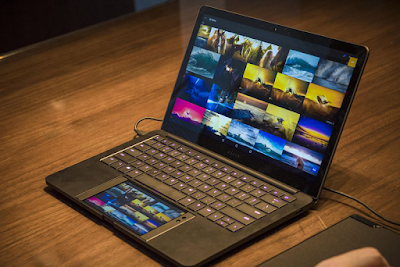
Razer has unveiled Project Linda and HyperFlux technology at CES 2018. Project Linda is a 13.3-inch laptop design that is powered by the Android-based Razer Phone. It is a smartphone and laptop hybrid concept that aims to merge the Android environment with a laptop. Meanwhile, HyperFlux is a truly wireless mouse technology that gets its power from the mouse pad. This technology includes a mouse and a compatible mouse pad so that users do not have to charge the wireless mouse separately.

Image result for CES 2018: Razer Project Linda Turns Phone Into Laptop

In Project Linda, a laptop docks the Razer Phone on its body, in the area where a touchpad is usually placed. It does not dock like Samsung's DeX or require a separate adapter. It connects with the press of a button and instantly transforms Project Linda into an Android laptop. The smartphone's Qualcomm Snapdragon 835 SoC and 8GB RAM ensure responsive performance. Clearly, Razer has an exciting new product in Project Linda. Razer co-founder and CEO Min-Liang Tan, says, "Project Linda combines the best of both worlds, bringing a larger screen and physical keyboard to the Android environment, enhancing the experience for gaming and productivity."

Image result for CES 2018: Razer Project Linda Turns Phone Into Laptop
The laptop has a 15mm thin unibody CNC aluminium chassis and weighs under 1.25kg including the docked phone.It sports a 13.3-inch Quad HD touchscreen and comes with a built-in keyboard. The 5.7-inch display on the Razer Phone can be used as a touchpad, or as a second screen to access apps and tools. The laptop keyboard also includes the Razer Chroma backlighting that can be personalised with various colour options.

Image result for CES 2018: Razer Project Linda Turns Phone Into Laptop

The concept laptop also features a 53.6Whr internal battery that can charge the docked phone to full capacity over three times, Razer says. Inside the laptop is 200GB of storage. In terms of connectivity, Project Linda features a built-in 3.5-millimetre audio jack, a USB Type-A port, a USB Type-C charging port, 720p webcam, and a dual-array microphone. As of now, it is unclear when Project Linda will hit the market.

razer mamba hyperflux Razer Mamba HyperFlux mouse and Razer Firefly HyperFlux mouse pad

As for the HyperFlux, it is similar to the Corsair Dark Core RGB mouse and its Corsair MM1000 Qi Wireless Charging Mouse Pad that was also unveiled at CES 2018 this year. While it doesn't use the Qi charging standard, the Razor's solution uses makes the mouse pad to generate a magnetic field that transfers power directly to the mouse instead of charging a battery. Razer claims that the Razer Mamba HyperFlux mouse and the Razer Firefly HyperFlux mouse pad are the world's first such devices that provide power directly to the mouse, eliminating the need for a battery. Razer CEO Tan says, "While other companies have attempted to do wireless charging for mice, they have been unable to achieve true wireless power as their mice still need a battery to be charged. HyperFlux Wireless Power Technology is a game changer in the world of wireless gaming."

The Razer HyperFlux wireless hardware combo will be made available in Q1 2018, and is priced at $249 (roughly Rs. 15,900). The Razer Mamba HyperFlux mouse has an optical sensor capable of 16,000 DPI, and features Razer Chroma customisable lighting, something that finds its way to the Razer Firefly HyperFlux mouse pad as well.


Thursday, 11 January 2018

Digital Storm shoehorns a liquid-cooled GTX 1080 into a really small chassis

The SMALLEST Hardline Liquid Cooled System!

Image result for Digital Storm shoehorns a liquid-cooled GTX 1080 into a really small chassis

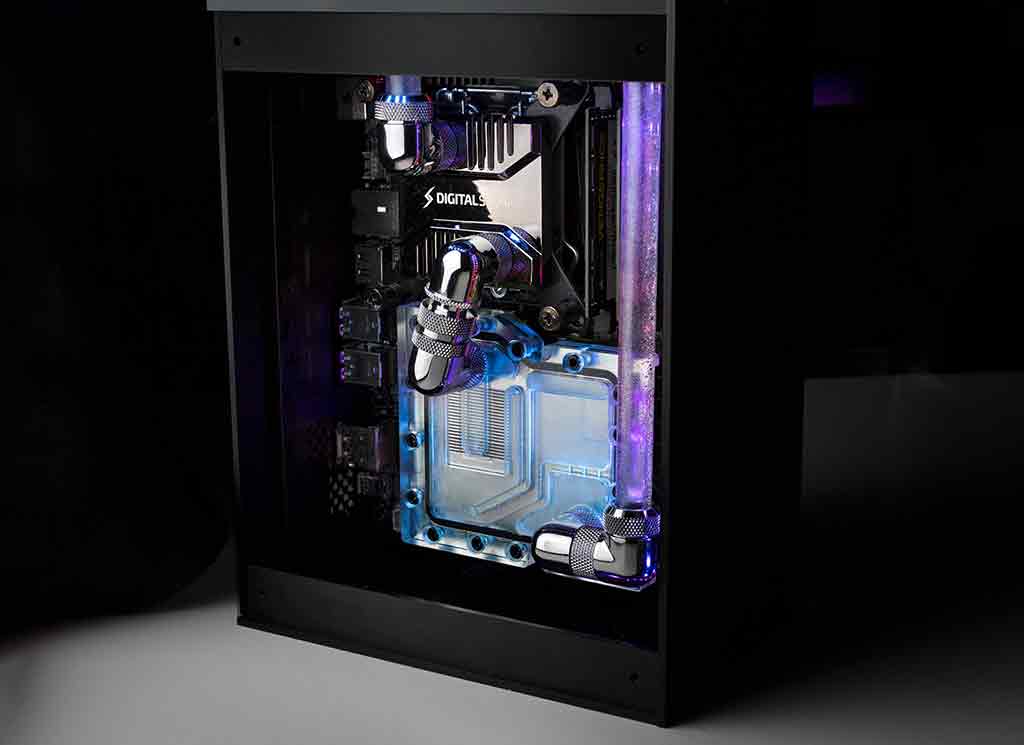
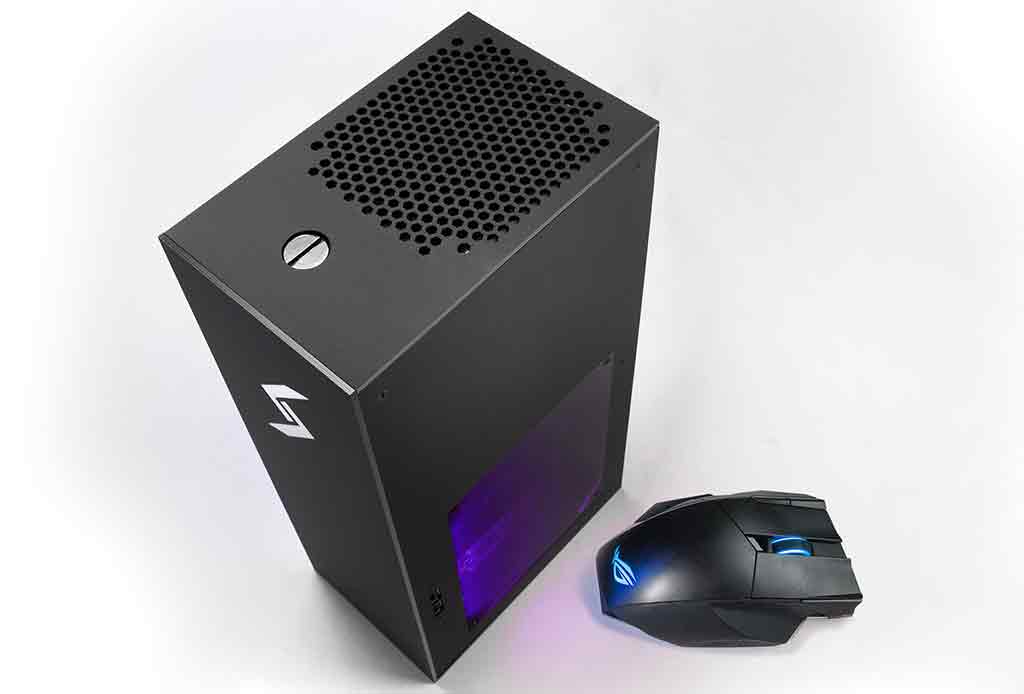
Digital Storm may have a reputation for building big and burly desktops, but its new Project Spark goes in the complete opposite direction, at least in terms of size. Measuring about the volume of a shoebox, Digital Storm worked its wizardry to cram some high-end gear inside, and then topped it all off with a hardline liquid cooling system.

More precisely in regards to the size, Project Spark measures 6 inches deep by 4 inches wide and 12 inches tall. An average shoe box would be 14 x 10 x 5 inches, while former NBA star Shaquille O'Neal wears size 22 kicks that come in a box that would dwarf the Spark.

"We've always wanted to design and build a PC that raises the bar in terms of performance-per-square-inch and cooling," said Harjit Chana, Digital Storm's Founder. "Advances in motherboard design have finally allowed us to make this goal a reality for our customers."

Of course, there are other small form factor gaming PCs on the market, including Digital Storm's own Bolt and systems like Falcon Northwest's Tiki. Project Spark, however, is the company's smallest enthusiast-class PC to date.

The custom built enclosure houses an unnamed motherboard based on Intel's Z370 chipset. Users can cram up to three M.2 SSDs and a 2.5-inch SATA drive into the system. It also uses an MXM module to deliver discrete graphics options ranging from a GeForce GTX 1060 to a GeForce GTX 1080. (Note that the use of MXM graphics inherently limits the upgrade potential, unfortunately.) Paired with a Core i7-8700K processor, Project Spark has the potential to run circles around rigs that are much bigger in size.

Image result for Digital Storm shoehorns a liquid-cooled GTX 1080 into a really small chassis

Implementing hardline liquid cooling should help keep temperatures in check, which is obviously a big concern when it comes to small size PCs. However, it's not clear how much that tacks onto the cost.

Digital Storm says Project Spark will be available in the second quarter of this year, starting at $1,299 for a base model outfitted with a GeForce GTX 1060 GPU. Obviously, there's a price premium involved in going this small with liquid cooling, but for what you get the premium isn't that large.


Wednesday, 10 January 2018

10 Best Laptops Under Rs 50,000 in India (2018)

Image result for 10 Best Laptops Under Rs 50,000 in India (2018)


Which is the best laptop under 50000? Which is the best laptop under 45000? 
 
Planning to buy best laptops below Rs 50000 and we got you here to fulfill your demand with ease. The demand for gaming notebooks below Rs 50000 is very high these days because this price range has everything you need in a laptop. The listed laptops have DVD Drive, Graphics Card, Windows 10 operating system, web cam, HDMI ports, USB 3.0 port and much more. Here we have listed top laptop brands like Lenovo, Acer, HP, Toshiba, Apple, and ASUS.
 

These are the top 10 best laptops under Rs 50000 in India (2018)


  • Dell Inspiron 15 3558 Laptop : Core i5, 4GB RAM, 1TB HDD, Windows 10, 2GB Graphics Card
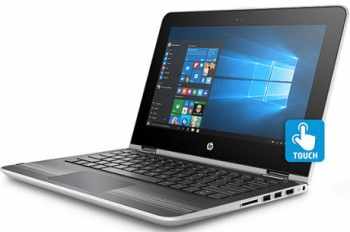
  • HP Pavilion X360 13-S102TU Laptop : Core i3, 4GB RAM, 1TB HDD, Windows 10
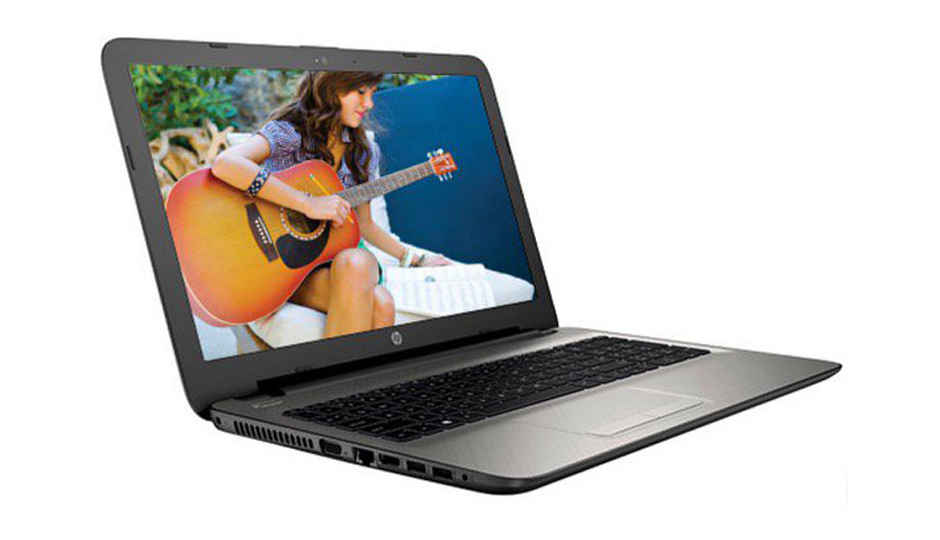
  • HP 15-AY503TX Laptop : Core i5, 8GB RAM, 1TB HDD, DOS, 2GB Graphics Card
  • HP Pavilion 15-ac179TX Laptop : Core i5, 4GB RAM, 1TB HDD, DOS, 2GB Graphics Card
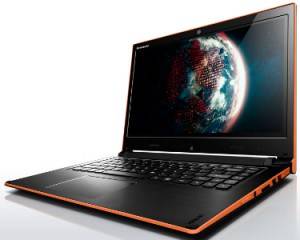
  • Lenovo Ideapad Flex 2 Laptop : Core i3 , 4GB RAM, 500GB HDD, Windows 8.1
  • HP Pavilion 13-U104TU Laptop : Core i3, 4GB RAM, 1TB HDD, Windows 10
  • Dell Vostro 14 V3446 Laptop : Core i5, 4GB RAM, 500GB HDD, Windows 8.1, 2GB Graphics
  • Lenovo Ideapad Z51-70 Laptop : Core i5, 4GB RAM, 1TB HDD, Windows 10, 2GB Graphics Card
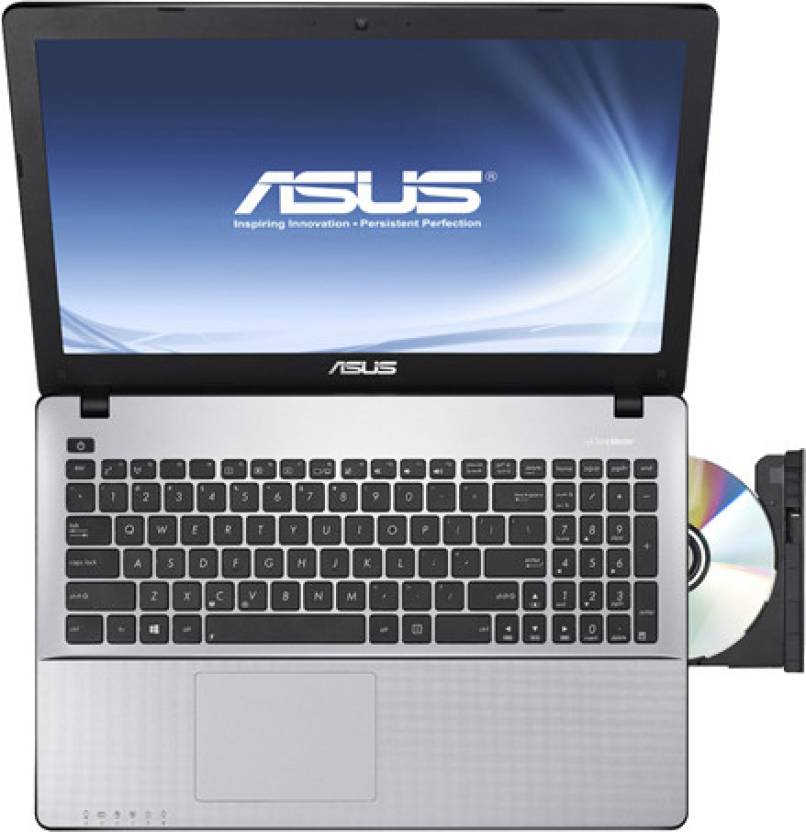
  • Asus X550LC-XX119H Laptop : Core i5, 4GB RAM, 750 GB HDD, Windows 8, 2GB Graphics Card
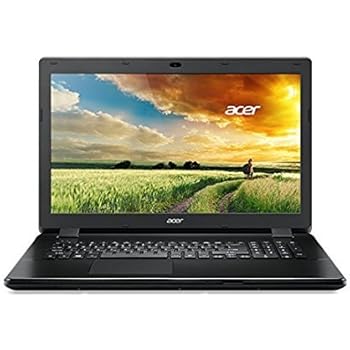
  • Acer Aspire F5-572G Laptop : Core i5, 4GB RAM, 1TB HDD, Windows 10, 2GB Graphics Card  


Dell Inspiron 15 3558  Laptop
 
Image result for Dell Inspiron 15 3558 (Z565110HIN9) Laptop 
 OSWindows 10
 Display15.6 inches HD LED Backlit Truelife Display
 Processor2.2 GHz Intel Core i5-5200U (5th Gen)
 GraphicNVIDIA GeForce 840M (2 GB)
 RAM4 GB
 Storage1 TB
 weight2.2 Kg
 Warranty1 Year


HP Pavilion X360 13-S102TU (T0Y58PA) Laptop 

best laptops under 50000, best gaming laptop under 50000, best gaming laptops under 50k


OSWindows 10
 Display13.3 inches Full HD LED Anti-glare Widescreen 220 nits Touch Display
 Processor2.3 GHz Intel Core i3-6100U (6th Gen)
 GraphicIntel HD 520
 RAM4 GB
 Storage1 TB
 weight1.7 Kg (Very Light Weight)
 Warranty1 Year

HP 15-AY503TX Laptop

Image result for HP 15-AY503TX Laptop

 OSDOS
 Display15.6 Inches HD SVA BrightView WLED-backlit display
 Processor2.3 GHz Intel Core i5-6200U (6th Gen)
 GraphicAMD Radeon R5 M430
 RAM8 GB
 Storage1 TB
 weight2.19 Kg
 Warranty1 Year


HP Pavilion 15-ac179TX Laptop

Image result for HP Pavilion 15-ac179TX Laptop 


 OSDOS
 Display15.6 inches Full HD Anti-Glare LED IPS Display
 Processor2.2 GHz Intel Core i5-6200U (6th Gen)
 GraphicAMD Radeon R5 M330
 RAM4GB DDR3
 Storage1 TB
 weight2.19 Kg
 FeaturesDTS Sound+, Island-style Keyboard, Web-cam


Lenovo Ideapad Flex 2 Laptop

Image result for Lenovo Ideapad Flex 2 (59-428487) Laptop 

OSWindows 8.1
 Display14.0 inches HD LED Multi-touch (SLIM) Display
 Processor1.9 GHz Intel Core i3-4030U
 GraphicIntel HD 4400
 RAM4GB DDR3
 Storage500 GB
 weight1.9 Kg
 FeaturesDolby Advanced Audio, AccuType Keyboard, Web-cam


HP Pavilion 13-U104TU Laptop

Image result for HP Pavilion 13-U104TU (Y4F71PA) Laptop 

OSWindows 10
 Display13.3 inches FHD IPS UWVA WLED-backlit multitouch
 Processor2.4 GHz Intel Core i3-7100U
 GraphicIntel HD 620
 RAM4GB DDR4
 Storage1 TB
 weight1.5 Kg (ultra lightweight)
 FeaturesBang and Oulfsen, island-style keyboardd, Web-cam


Dell Vostro 14 V3446 Laptop

Image result for Dell Vostro 14 V3446 (3446545002BP) Laptop 

OSWindows 8.1
 Display15.6 inches HD Wide Screen LED Anti-Glare Display
 Processor2.1 GHz Intel Core i5-4210U (4th Gen)
 GraphicNVIDIA GeForce 820M (2GB)
 RAM8GB DDR3
 Storage500 GB
 weight2.4 Kg
 FeaturesWaves MaxxAudio,Super Multi DVD Drive


Lenovo Ideapad Z51-70 Laptop

Image result for Lenovo Ideapad Z51-70 (80K600W0IN) Laptop 

 OSWindows 10
 Display14.0 Inches Full HD TN AG(Slim) Display
 Processor2.5 GHz Intel Core i5-6200U (6th Gen)
 GraphicNVIDIA GeForce GT 920 (2 GB)
 RAM4 GB
 Storage1 TB
 weight1.6 Kg (Very Light Weight)
 Warranty1 Year


Asus X550LC-XX119H Laptop

Image result for Asus X550LC-XX119H Laptop 

OSWindows 8
 Display15.6 inches HD Glare Display
 Processor1.6 GHz Intel Core i5-4200U (4th Gen)
 GraphicNVIDIA GeForce GT 720M
 RAM4GB DDR3
 Storage750 GB
 weight2.3 Kg
 FeaturesSonicMaster Audio, Web-cam


Acer Aspire F5-572G (NX.GAFSI.004) Laptop

Image result for Acer Aspire F5-572G (NX.GAFSI.004) Laptop 

OSWindows 10
 Display15.6 inches HD Active Matrix TFT Color LCD Display with LED Backlight
 Processor2.3 GHz Intel Core i5-6200U (6th Gen)
 GraphicNVIDIA GeForce 920M
 RAM4GB DDR3
 Storage1 TB
 weight2.4 Kg
 FeaturesCD/DVD writer, Web-cam

Related:- 

Saturday, 6 January 2018

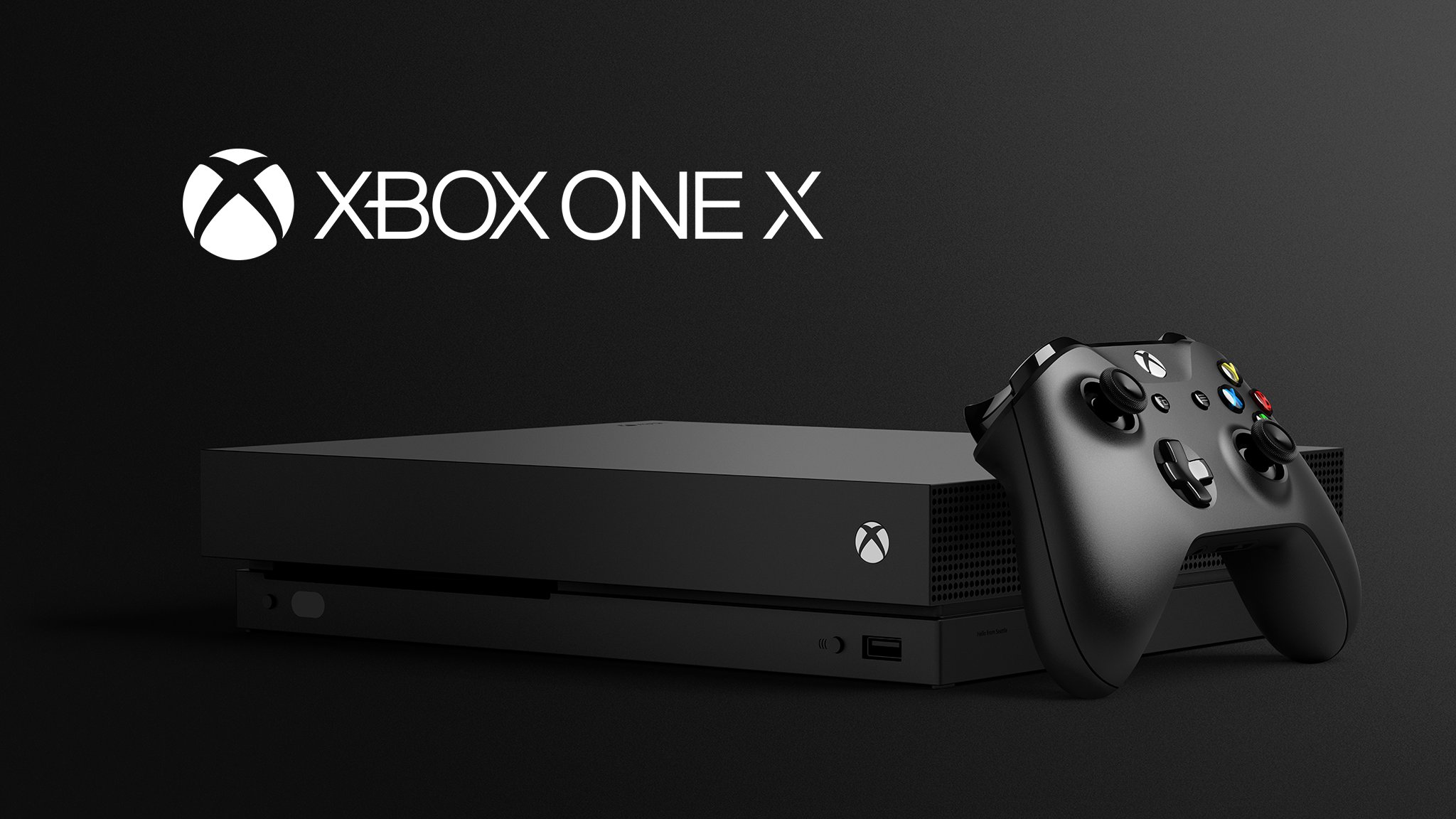
Xbox One X India Price and Release Date Revealed

Image result for xbox one x

The Xbox One X will be available in India from January 15. The price is Rs. 44,990 Pre-orders to go live on Amazon and Flipkart as per Xbox India's website.


Microsoft India has revealed the Xbox One X price and release date for India. The Xbox One X is the company's answer to Sony's PS4 Pro, it's a souped up, more powerful version of the Xbox One and Xbox One S.

The Xbox India website lists the Xbox One X India price as Rs. 44,990 (approximately $710) with a release date of January 15, 2018. Internationally the console costs $499 (around Rs. 32,000). At the moment, the console is available in the grey market for around Rs. 38,000 to Rs. 42,000. The Xbox One X can be pre-ordered from Flipkart and Amazon although links to either site are not live at the time of filing this story. Although several offline retailers have started taking pre-orders for the console. Gadgets 360 has got in touch with Microsoft India for comment and will update if we hear from the company.

Image result for xbox one x india price and release date revealed

Considering that Sony has had supply issues with the PS4 Pro in India, it's nice to see Microsoft release the Xbox One X in a manner that's not too distant from its launch globally. Previously, the Xbox One S launched in India almost a year and a half after it hit internationally.

For what it's worth we reviewed the Xbox One X around the time of its international launch. If you own a 4K TV or plan to get one and have a good enough Internet connection, it’s definitely a superlative option right now. Though we're not too sure if this holds true buying it officially as it's at a Rs. 12,000 premium over its price internationally. Having said that, if you already own a PS4 Pro or a PS4, it could shape up to be a decent complementary system provided more developers support it in terms of Xbox One X enhancements.


Xbox One X Release Date, Review, Games, And Everything You Need To Know


We're on the eve of the release of Xbox One X--formerly Project Scorpio--which is set to become the newest member of the Xbox One family from Microsoft on Tuesday. While similar in some ways to last year's PS4 Pro, this is still very new territory for video game consoles, so to help you stay on top of everything you need to know about to know, we've rounded up all of the key details for you below.

What is the Xbox One X? 

Formerly code-named Project Scorpio, the Xbox One X is a significantly more powerful version of Microsoft's Xbox One console that's capable of offering 4K support and higher fidelity graphics. Read our Xbox One X review for much more, and you can also check out our review roundup.

When is the Xbox One X release date and price? 


What are the Xbox One X specs?


  • CPU: x86-64 2.3GHz 8-core AMD custom CPU
  • GPU: 6 TFLOPS, AMD Radeon-based graphics clocked at 1172MHz with 40 compute units
  • Memory: 12GB GDDR5
  • Storage size: 1TB HDD
  • External dimensions: 30x24x6 cm/11.8x9.4x2.3 in
  • Weight: 8.4 lbs/3.8 kg
  • Optical drive: 4K UHD Blu-ray
  • Input/Output: Power, HDMI 2.0b out, HDMI 1.4b in, three USB 3.0 ports, IR out, S/PDIF, gigabit Ethernet
  • Networking: IEEE 802.11ac dual band (5GHz and 2.4Ghz), 2x2 wireless Wi-Fi with Wi-Fi Direct
  • Power consumption: 245W

How do the Xbox One X specs compare to Sony's PS4 Pro console? 

On paper, the Xbox One X is more powerful. While both consoles use an 8-core system-on-a-chip design built by AMD, the Xbox One X's CPU is clocked 200MHz faster at 2.3GHz, compared to Sony's 2.1GHz equivalent. On the GPU side, the Xbox One X's solution offers six teraflops of performance, which is 1.8 teraflops more than the PS4 Pro. The Xbox One X also offers 12GB of GDDR5 memory, while the PS4 Pro offers 8GB of GDDR5 coupled with 1GB of DDR3 RAM. The Xbox One X also offers a 4K-capable Blu-ray drive, whereas the PS4 Pro does not.

Will the Xbox One X work with Xbox One games? 

Yes. The Xbox One X will support the existing library of Xbox One games and peripherals. That includes controllers, headsets, and so on.

Will there be Xbox One X exclusive games that won't work on the original Xbox One? 

No. Microsoft tells us that all games will work across both consoles, including those released in the future.

What console generation is the Xbox One X a part of? 

Microsoft considers the Xbox One X to be a part of the Xbox One family, which would classify it under the eighth generation of consoles.

Will original Xbox One games receive graphical boosts or performance benefits on the Xbox One X? 

Yes. Microsoft tells us that it has made hardware modifications to the Xbox One X that will allow older games designed for the Xbox One to receive enhancements like anisotropic filtering and faster load times right out of the box. The company also tells us that games that feature variable frame rate and resolution should be able to run smoother and at higher resolutions. In addition, Microsoft allows developers to go back and update their games to take advantage of the Xbox One X's extra processing power. These manually tweaked games will carry an "Xbox One X Enhanced" label.


Will the Xbox One X use an SSD? 

No. The Xbox One X will use a hard drive, but Microsoft tells us that it's 50 percent faster than the Xbox One's 5,400 RPM solution. You can additional additional storage via USB, including an SSD.

Will the Xbox One X support VR? 

Yes. Microsoft revealed that the Xbox One X will support VR at its E3 2016 press conference. While VR was a no-show at the company's E3 2017 press conference, the company confirmed to us that it still plans to support VR on the console but will share more details at a later date.

Does Xbox One X support native 4K? 

Yes. It will support native 4K (3840x2160p), but it will also support checkerboard rendering on more graphically demanding games. Specific enhancements, including resolution, will vary game by game.

What is checkerboard rendering? 

It's a rendering technique that takes up the same spatial resolution as a native 3840x2160p image but has half the number of pixel shader invocations, which are laid out in a checkerboard pattern. Essentially, it's a 4K-like rendering shortcut that isn't quite as sharp or rich as a native 3840x2160p render, but it can look very close.

What exactly is 4K

In the consumer realm, it's generally considered a resolution that offers 3,840 horizontal pixels and 2,160 vertical pixels. It offers four times as many pixels as 1080p.

Will the Xbox One X come with a 4K Blu-ray player? 

Yes. Just as with the Xbox One S --and unlike the PS4 Pro--you'll be able to watch Ultra HD Blu-ray discs using an Xbox One X.

Will the Xbox One X support HDR? 

Yes. You will need an HDR-capable TV to see its full effects, and each game or movie will need to specifically support it.


What is HDR? 

HDR stands for high dynamic range. You can learn more about it here. In short, HDR displays provide a much wider color gamut and contrast ratio compared to standard RGB panels. Colors look richer, blacks look darker, and whites look brighter.

Do I need a 4K TV or HDR TV to use the Xbox One X? 

No, but if you want to fully reap the system's benefits, you'll most likely want one.

Is there any benefit to using an Xbox One X on a 1080p TV? 

Yes. Microsoft asserts that the Xbox One X will be able to add anisotropic filtering, shorten load times, and enable supersampling; the latter of which renders games at a high resolution and then downsizes them to 1080p, resulting in a sharper image than native 1080p rendering techniques.
No Caption Provided


How big is the Xbox One X? 

30x24x6 cm (11.8x9.4x2.3 in). It is Microsoft's smallest Xbox console to date.

How much does the Xbox One X weigh? 

Despite being noticeably smaller than the original Xbox One, the Xbox One X is .6 pounds heavier at 8.4 pounds, which makes it two pounds heavier than the Xbox One S.

Can the Xbox One X stand vertically? 

Yes, though it requires a stand that's sold separately. The stand is included for free with the limited-edition Scorpio Edition.

What games are designed to support the Xbox One X's beefier specs?

You can find a comprehensive list here. As noted above, specifics benefits vary radically from game to game.


Related:-

Thursday, 4 January 2018

Dell XPS 13 Refreshed With 8th Gen Intel Core Processor

Image result for Dell XPS 13 Refreshed With 8th Gen Intel Core Processor
  • Dell XPS 13 with 4K has been launched in the US
  • Dell claims the laptop has a stain-resistant design
  • It costs $999 for the Windows 10 base variant


Ahead of CES 2018, Dell has launched a refreshed version of its premium XPS 13 laptop, with the new design of the laptop being its main talking point. The laptop now comes with a new finish in white with glass fibre woven in and Dell claims that it has worked hard to ensure that the laptop doesn’t stain over time. Dell claims that it wants to ensure that this XPS 13 looks as good on day 1,000 as it does on day 1.

These claims remain untested as of now, but if you care about your laptop’s looks, Dell says you can wipe off pen marks or other stains from the laptop. Dell will also be providing white chargers and power cords with the XPS 13, but there was no word on whether these would remain free of stains as well. Having seen what happens to white chargers and power cables over time, we aren’t sure they’ll look very good after prolonged use.

Beyond looks, Dell says the new XPS 13 also stays cooler for longer because its glass fibre materials stay cooler for longer. The Dell XPS 13 weighs 1.22kg, which makes it one of the lightest 13-inch laptops in the market.

Dell XPS 13’s 13-inch InfinityEdge display fits in an 11-inch frame, according to the company. This means that the laptop has thinner bezels on three sides, with a slightly thicker bezel on the side nearest to the keyboard. The front camera is also placed near the keyboard in order to make the bezels thinner at the top. Dell adds that the laptop is 30 percent thinner than its predecessor, with a thickness of 3.4mm.

As for specifications, the Dell XPS 13 ships with a quad-core 8th generation Intel Core processor (choice of Core i5-8250U or Core i7-8550U), up to 1TB SSDs, and a battery life of up to 20 hours on full-HD, the company claims. Dell XPS 13’s display supports 4K Ultra HD as well, and the battery life goes down to 11 hours on that mode. The Dell XPS 13 ships with a USB Type-A to USB Type-C adapter. The company had earlier launched an XPS 13 with QHD+ display in India, but this new variant supports 4K UHD as well and all the design changes mentioned above.

Dell claims that the laptop delivers twice as much performance when compared with the 2015 XPS 13 thanks to better power management. All of this can be yours at a starting price of $999 (roughly Rs. 64,100), with the XPS 13 being available in the US starting January 4. There are optional components such as a fingerprint reader and better specifications, for which you will have to pay more. Dell is also selling a developer edition of the laptop with Ubuntu at $950 (roughly Rs. 61,000). There’s no word on India price or availability at the moment you’ll have to wait till after CES 2018 to know more about that.

PUBG on Android: 3 PlayerUnknown's Battlegrounds Clones You Can Play Right Now

Image result for PUBG on Android: 3 PlayerUnknown's Battlegrounds Clones You Can Play Right Now

  • Pixel's Unknown Battle Ground marries PUBG with Crossy Road
  • Free Fire - Battlegrounds is closest to PUBG
  • Last Battleground: Survival is the smoothest of the bunch
PlayerUnknown’s Battlegrounds (PUBG) is out on the Xbox One and Windows PC. While the game is still work in progress on both platforms, its success during the year has resulted in more than a few games borrowing its battle royale stylings. So much so that the game’s creator Brendan Greene takes offence to this, insisting on stronger copyright protection.

While the official PUBG Android games have been announced for China, there’s no sign of anything from PUBG Corp outside of that country. Out of curiosity, we typed in ‘PUBG’ on the Play Store. The results were predictable, with a slew of enterprising developers taking advantage of the battle royale hype with free-to-play, ad and micro-transaction-supported versions of the PC monster hit. If you're looking for a PUBG-like game, and don't want to wade through the swamp to find something good, you're in luck because we've already done that. Here are three of the better PUBG clones on Android.


Free Fire - Battlegrounds
.

This title is the closest to PUBG on mobile phones right now. Instead of 100 players, it’s pared down to 40, but is otherwise on the same lines, complete with the battleground shrinking overtime. The controls aren’t the best, shooting lacks accuracy, and driving is clunky. However it’s visually the most impressive of the bunch and even lets you choose lower settings if you find it to be too taxing on your smartphone. Screenshot(s) of game With an assortment of weapon customisations and items to use, there's a lot to explore. Weighing in at 235.9MB it can be side-loaded from the developer’s website as well.

Get Free Fire - Battlegrounds via Google Play - free with ads.


Last Battleground: Survival
Sporting a similar art direction to Free Fire, this game has got some nice additions with improved navigation, a frame rate counter, and accurate representation of the latency while playing it. And if you find it hard to find a weapon on landing in other battle royale games, good news because Last Battleground: Survival starts you off with a gun as well. That might change though - with protests from fans, the developer Elex is considering removing them. Screenshot(s) of game If you’re a battle royale purist looking for a smooth, responsive experience and don’t mind the so so presentation, this is worth checking out. It’s rough a 200MB download much like Free Fire. Micro-transactions in Last Battlegrounds: Survival nets you premium currency (starting from Rs. 320 for 300 coins) allowing you to buy cosmetic items and customisations like flags.

Get Last Battleground: Survival via Google Play - free with in-app purchases.

last survival pubg pubg_android

Pixel’s Unknown Battle Ground
Perhaps the most obvious clone on the list with its name and icon, Pixel Unknown Battle Ground merges the PUBG formula with Crossy Road’s now mainstream blocky pixel style. At roughly 50MB, It’s a smaller download than the other two. Throw in auto shooting that makes it easier to play and a wider choice of vehicles including a tank along with a smaller map compared to the other two games and the end result is sparse game world but tighter, frantic encounters. Screenshot(s) of game Much like Last Battlegrounds: Survival you can buy in-game currency to customise your character to look like a clown, a hippie or even the Royal Guard, starting from Rs. 60 for 710 cash.

Get Pixel’s Unknown Battle Ground via Google Play - free with in-app purchases.

pixel pubg pubg_android

With three battle royale mobile games and more on the way, it’s just a matter of time before PUBG Corp realises there’s an audience beyond China interested in the genre on smaller screens. Till then, which PUBG clone are you playing? Let us know via the comments.

PUBG India Open, India's First PlayerUnknown's Battlegrounds Tournament, Announced

PUBG India Open, India's First PlayerUnknown's Battlegrounds Tournament, Announced

  • PUBG India Open is India's first official PUBG tournament
  • The event is organised by GamingMonk - a Delhi-based e-sports firm
  • PUBG Corp has given the firm permission to host this tournament


PlayerUnknown’s Battlegrounds (PUBG) is popular the world over and India is no exception. So much so that barely 10 months after hitting Steam, India’s first official PUBG tournament is here and it's called the PUBG India Open.

The PUBG India Open is being run by GamingMonk — a Delhi-based e-sports company. It claims that there’s an active userbase of around 1,00,000 to 2,00,000 PUBG players in India on Steam and is running the PUBG India Open with PUBG Corp’s blessing.


Up to 400 players will compete in the PUBG India Open which takes place on January 7 from 3pm IST. It’s an online tournament and you’ll have to sign up on GamingMonk’s website to take part. It’s limited to first-person mode or Solo FPP as it’s referred to in PUBG. And yes, this is for the Windows PC version of PUBG, not Xbox One.

A welcome addition is streamers. A representative for GamingMonk says over 20 Indian streamers have signed up to livestream the event and there’s an observer stream too. To prevent stream sniping - wherein participants check out a live stream of the same match they’re in to get an advantage, a three minute stream delay has been recommended.


The prize pool for the PUBG India Open is Rs. 25,000. Granted its a paltry sum compared to last year’s ESL $100,000 prize pool, but considering that PUBG Corp is hosting an official tournament (albeit via a third party) only bodes well for the game in India going forward.


Related